
reid.zura
Tagged Tendril
January 17, 2024
Solved

A huge increase in spam on Facebook and X - any tips on how to reduce?

  • January 17, 2024
  • 21 replies
  • 11603 views

Okay, I hope I don’t sound crazy and this is a good place, but, over the past few weeks, I have noticed a lot of extra spam coming into the social media channels for my company. It’s mostly in two forms. 

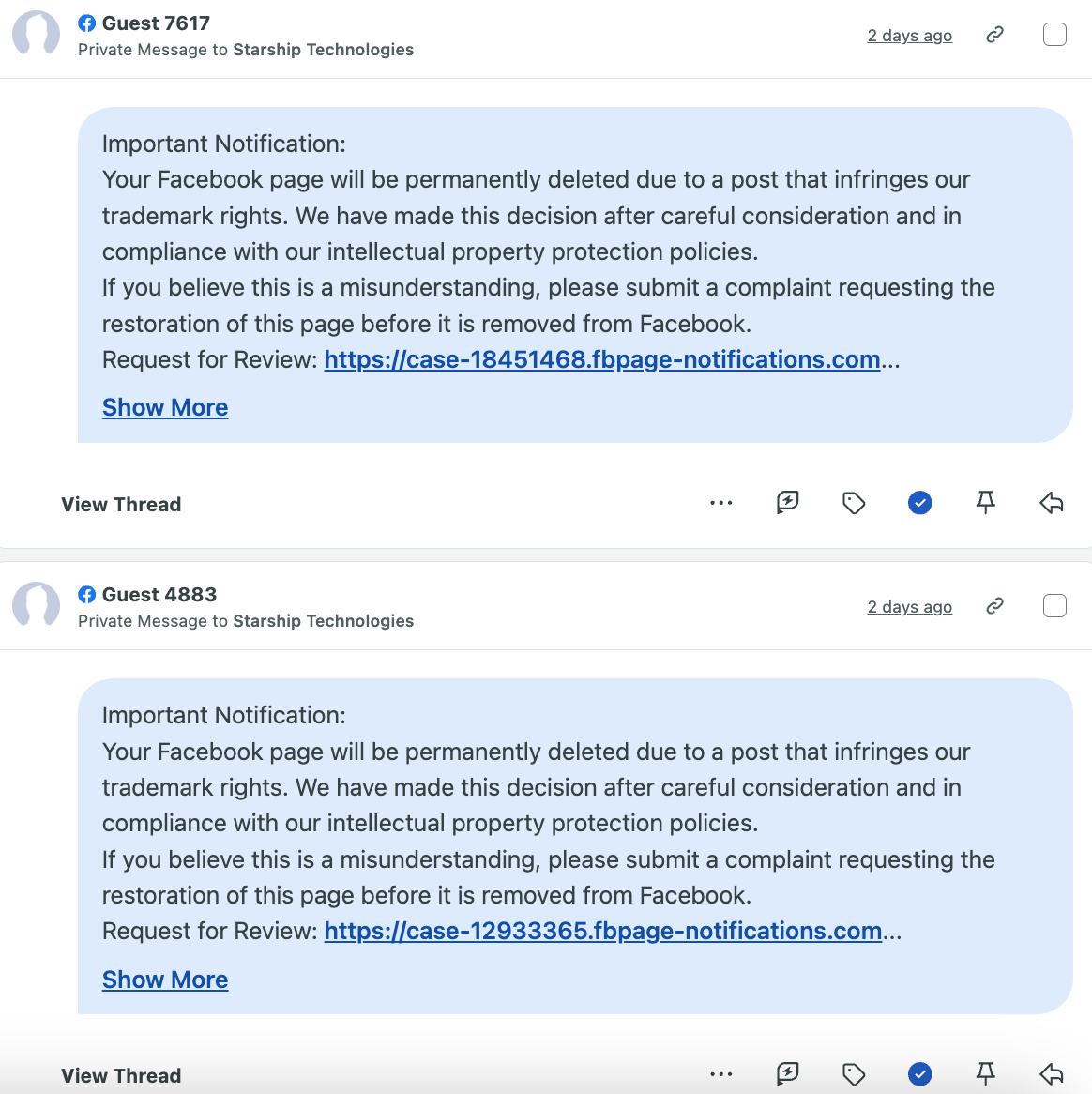
  1. On Facebook: I either get something in Messenger or a wall post from an account posing to be some sort of Meta authority figure claiming the page will be permanently deleted for violating some sort of guidelines and I can request a review by clicking their sketchy link (Obviously I know it is a scam) Here is an example: 


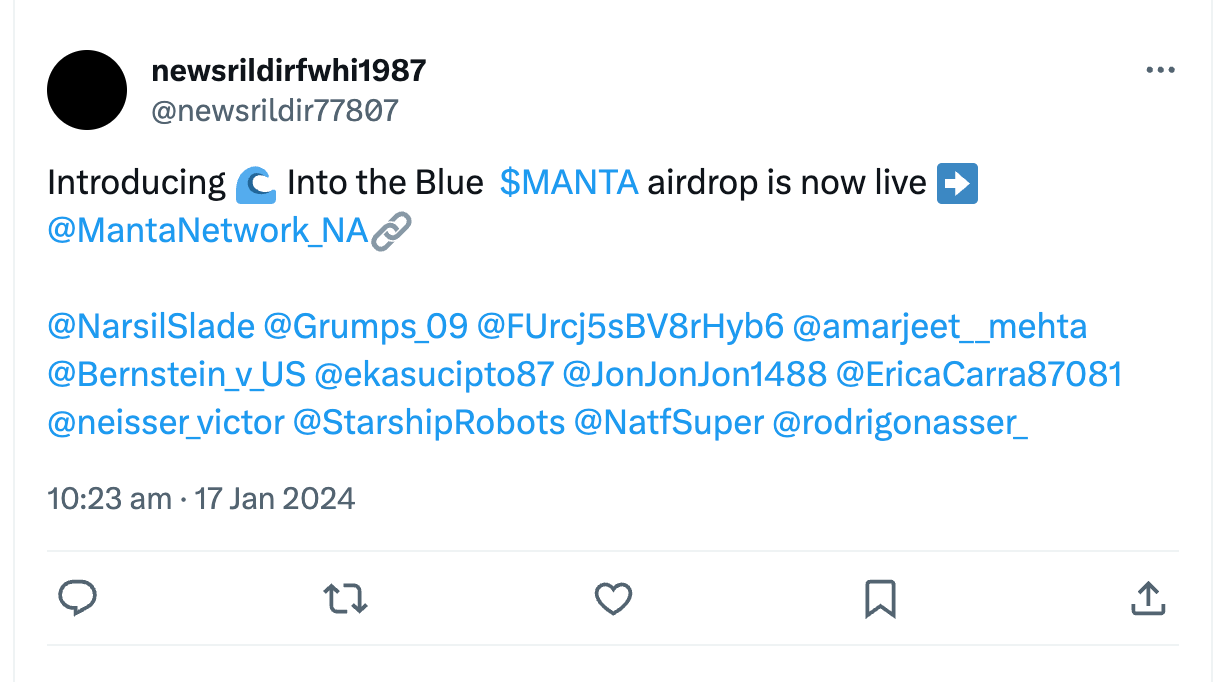
  1. On X: I get MULTIPLE tags for these spamming crypto bots somehow. They don’t seem to end and come in a lot. They’re also tagged with a bunch of other random accounts, so I’m simply not sure how my company’s account is picked. Here is what those look like:
 

Now obviously, social media has and always will have scammers and spam. I have a decent radar and digital literacy to know where not to click and what to ignore, but it seems like these have gotten worse -- sometimes getting 10+ in a day. It’s just becoming distracting from my smart inbox. Reporting as spam doesn’t seem to do much. 

Is anyone else experiencing this? Have you done anything that’s helped? Or, does anyone have insight as to how these bots pick accounts and how I can get mine off of them? I have very little knowledge of the spam bots lol thanks!


Best answer by michaelajo20

@reid.zura Ugh, this seems to be happening to so many of us!

For Facebook: I learned a lifechanging tip yesterday from someone in the #HigherEdSocial community on Facebook. I’ll try to reiterate here, but I just asked the OP if I can share the video they created. They did a great step-by-step tutorial on this.

So, there’s a way to automate your Meta inbox and create a rule to exclude certain keywords coming in:

  1. Go to inbox
  2. Click on “Automations” - it’s the second button from the left at the top of the interface (screenshot below)
  3. Click “Create Automation” in the upper right corner

  4. Click “Start from scratch” to create a new automation

  5. Name your rule

  6. Under “When this happens,” select “New message received” to start automation

  7. Click “Add condition” and select “Keywords” 

  8. Input some of the main keywords in your recurring messages

  9. Under “Take this action,” select “Mark as” and “Move to spam”

  10. Save changes

Hope this helps! It has already saved me time this morning. (Thanks OP, if you’re reading this!!)


For X: Our team sunset our X account back in August, but I still monitor for brand conversations and see these spam posts pop up from time to time. I tend to ignore or report, but it is annoying. Maybe X has a way to automate as well? I’m not sure, but hopefully someone here can help. 


Best of luck! 

21 replies

samantha.hart
Boosted Blossom
January 17, 2024

Our clients receive this exact type of spam on a daily basis. So far, the only actions we have taken is ignoring for Facebook and reporting as spam for Twitter via Sprout.

michaelajo20
Seedling
January 17, 2024

@reid.zura Ugh, this seems to be happening to so many of us!

For Facebook: I learned a lifechanging tip yesterday from someone in the #HigherEdSocial community on Facebook. I’ll try to reiterate here, but I just asked the OP if I can share the video they created. They did a great step-by-step tutorial on this.

So, there’s a way to automate your Meta inbox and create a rule to exclude certain keywords coming in:

  1. Go to inbox
  2. Click on “Automations” - it’s the second button from the left at the top of the interface (screenshot below)
  3. Click “Create Automation” in the upper right corner

  4. Click “Start from scratch” to create a new automation

  5. Name your rule

  6. Under “When this happens,” select “New message received” to start automation

  7. Click “Add condition” and select “Keywords” 

  8. Input some of the main keywords in your recurring messages

  9. Under “Take this action,” select “Mark as” and “Move to spam”

  10. Save changes

Hope this helps! It has already saved me time this morning. (Thanks OP, if you’re reading this!!)


For X: Our team sunset our X account back in August, but I still monitor for brand conversations and see these spam posts pop up from time to time. I tend to ignore or report, but it is annoying. Maybe X has a way to automate as well? I’m not sure, but hopefully someone here can help. 


Best of luck! 

kylie.trimble
Tagged Tendril
January 17, 2024

I’m having the same issue, I’m so glad that someone posted this! 

Seedling
January 18, 2024

Thank you @michaelajo20 ! That is so helpful! 

michaelajo20
Seedling
January 18, 2024

@michelle.reddick Of course! I couldn’t believe I had been living this long without Meta inbox automations, haha!

florencia.gatell
Seedling
January 19, 2024

Hi! Here Flor from Argentina. We experienced in private messages (in Facebook) a lot of people making random questions about the brand, but when we answer, most of them say that they never sent the message. They ask questions like, can you tell me more about the business? Anyone experienced this?

Thank you!

Florencia Soledad Gatell
mary
Engagement Orchard
January 19, 2024

The other place on Facebook I’ve started seeing these spam messages are bots leaving Recommendations/Reviews - which of course aren’t as easily removed as a tag or regular post. 

Mary
mary
Engagement Orchard
January 19, 2024

 @Laura Porcincula is there a way to do a similar automation in Smart Inbox? To filter incoming messages to be marked as complete and labeled as spam? 


@reid.zura Ugh, this seems to be happening to so many of us!

For Facebook: I learned a lifechanging tip yesterday from someone in the #HigherEdSocial community on Facebook. I’ll try to reiterate here, but I just asked the OP if I can share the video they created. They did a great step-by-step tutorial on this.

So, there’s a way to automate your Meta inbox and create a rule to exclude certain keywords coming in:

  1. Go to inbox
  2. Click on “Automations” - it’s the second button from the left at the top of the interface (screenshot below)
  3. Click “Create Automation” in the upper right corner

  4. Click “Start from scratch” to create a new automation

  5. Name your rule

  6. Under “When this happens,” select “New message received” to start automation

  7. Click “Add condition” and select “Keywords” 

  8. Input some of the main keywords in your recurring messages

  9. Under “Take this action,” select “Mark as” and “Move to spam”

  10. Save changes

Hope this helps! It has already saved me time this morning. (Thanks OP, if you’re reading this!!)


For X: Our team sunset our X account back in August, but I still monitor for brand conversations and see these spam posts pop up from time to time. I tend to ignore or report, but it is annoying. Maybe X has a way to automate as well? I’m not sure, but hopefully someone here can help. 


Best of luck! 


Mary
lisa.roughley
Seedling
January 19, 2024

We’re having the same issue with the spam messages appearing on reviews/recommendations and we’ve also seen a huge decline in reviews, in general, for our clients. Has anybody else? 

Roughley Speaking Communications
Laura Porcincula
Former Community Manager
January 19, 2024

Great question @mary, advanced plan users can set up rules to hide the message on the native platforms. I shared the steps for those rules in this Sprout customer only thread if you need some more info.


Laura Porcincula (she/her)